A rainfall station is only useful when its readings show what fell, when it fell, and whether the instrument was operating correctly. By the end, you will be able to compare tipping-bucket and weighing designs, specify the data and communications requirements, plan a reliable installation, and verify measurements after maintenance or an outage.
Key takeaways
- Treat each tipping-bucket tip as a fixed depth, not the exact start of rainfall.
- Specify interval, timestamp format, storage capacity, and telemetry before buying.
- Install the collector away from roofs, trees, splash, and wind turbulence.
- Compare calibration, maintenance, power, communications, and data costs—not resolution alone.
How an automated rain gauge turns rain into a measurement
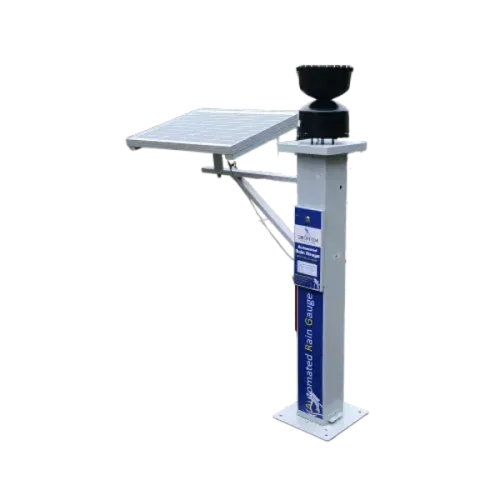
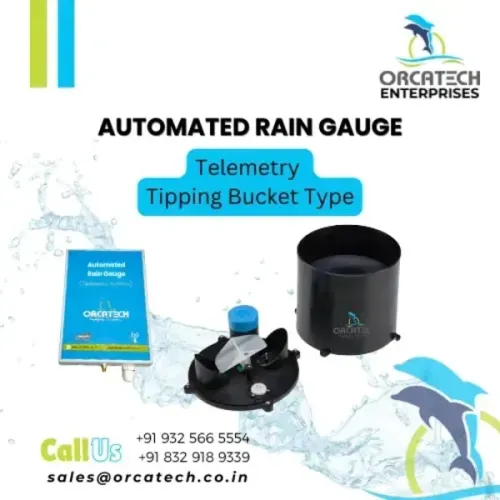
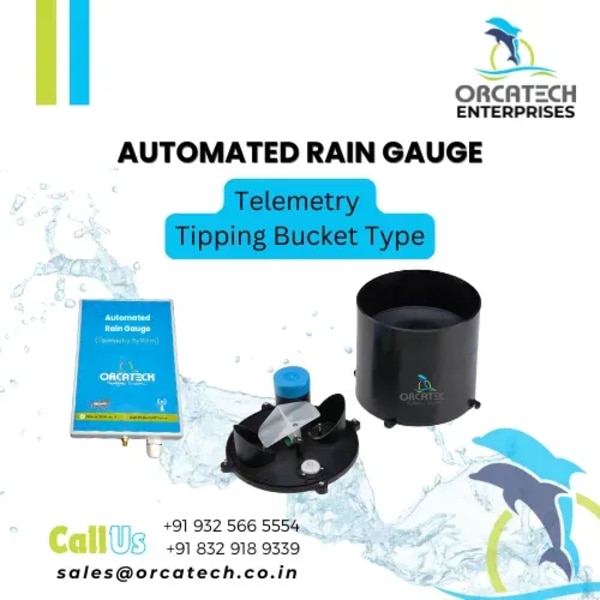
An automated rain gauge turns collected water into a time-stamped depth. A tipping-bucket gauge divides the catch into fixed portions: each 0.1 mm bucket tip adds 0.1 mm to the total, while its timestamp marks the threshold crossing, not the exact moment rain began or ended.
A weighing precipitation gauge records changing water mass on a load cell, producing a near-continuous depth record.
| Gauge type | Measurement method | Main limitation |
|---|---|---|
| Tipping-bucket gauge | Counts bucket tips and converts each tip to a calibrated rainfall depth | Intense rain can overflow, lag, or lose water during tipping; check the maximum specified rainfall intensity and calibration curve |
| Weighing precipitation gauge | Weighs accumulated water and converts mass to depth | Drift, temperature, evaporation, vibration, and contamination require zero checks, filtering, or correction |
The system should report accumulated rainfall for a defined interval, rainfall intensity over that same interval, and event totals with a stated event-start and event-end rule. A rate calculated from one tip divided by the time between tips is interval-dependent and can exaggerate rates around the first or last tip.
Report these data products:
- Raw tip counts or raw weighing values, preserved for reprocessing.
- Five-minute, hourly, and daily accumulated rainfall, each with a clear interval boundary.
- Rainfall intensity measurement resolution, accumulation units, and treatment of partial intervals.
- Quality flags for missing data, sensor faults, and corrected values.
Without raw records, you cannot recalculate totals after changing the calibration, clock alignment, or quality-control threshold.
Specify the readings, timestamps, storage, and telemetry before purchase
Specify the data contract before comparing gauges. Require rainfall accumulation, event totals, rainfall intensity, sensor status, and raw tip or weight records, each tied to a defined interval.
| Specification | Ask for | Failure prevented |
|---|---|---|
| Resolution and catch | Tip size or weighing resolution, accuracy curve, maximum specified intensity, and collection-area size | A 0.1 mm tip does not prevent wind bias, missed tips, or under-recording during intense rain |
| Time base | Event time, transmission time, UTC offset, timestamp accuracy, accumulation interval, and partial-interval treatment | A retransmitted packet is not mistaken for a new burst |
| Storage | Raw measurements, interval totals, status flags, and capacity covering the longest expected outage plus 25% spare | Cellular or internet failure does not erase the event |
| Telemetry | Transmission interval, sequence number, retry rule, and store-and-forward behaviour | Late packets remain identifiable and recoverable |
| Diagnostics | Battery voltage, heater state, logger resets, signal strength, blockage alarms, and sensor-state flags | A dead heater, blocked funnel, or power loss is not reported as dry weather |
Specify how rainfall intensity is calculated. A rate from one tipping-bucket interval can spike when the first tip follows a long dry period, so require a stated accumulation window and treatment of partial intervals.
Choose storage that preserves raw data, not only dashboard totals. The logger must continue recording while communications fail, then transmit the backlog without changing the original event timestamps.
Install the collector where wind, splash, and blockage do not distort the catch
Keep the collector level and away from surfaces that throw water into or out of the orifice. A level foundation prevents one side of a tipping bucket from filling early. Grass or gravel beneath the gauge reduces splash; concrete, roofs, parapets, and paved areas do not.
Assess every nearby tree, pole, wall, and building for height and turbulence, not distance alone. Place the gauge at least twice the obstacle’s height away, and four times the height where space permits. Use a wind shield suited to the gauge, because wind flowing around the body causes undercatch, especially during drizzle or snow.
Set the mounting height near 1 metre above natural ground where the local measurement standard permits. Keep the rim horizontal, unobstructed, and higher than surrounding vegetation. Do not hide the collector beneath an overhang. A heated gauge prevents snow blockage but consumes power and increases evaporation, so use it only with a snow-specific operating procedure.
Build rain gauge installation around access for inspection and cleaning:
- Clear leaves, insects, spider webs, algae, and sediment from the funnel and screen.
- Check the level after storms, frost movement, construction, or accidental impact.
- Inspect the wind shield for damage and confirm it does not touch or shade the collector.
- Keep grass, branches, and stored materials below the orifice.
Flag a prolonged zero signal during independently confirmed rain, an abnormal accumulation rate, or disagreement with a redundant sensor. Those signs expose blockage before it becomes a credible-looking data gap.
Use calibration and quality checks to distinguish rain from instrument error
A rain gauge is not calibrated by accepting its displayed 0.1 mm increments. During rain gauge calibration, level and clean the collector, inspect the funnel, screen, bucket, reed switch or load cell, then apply a known measured water volume at a controlled flow.
Compare the expected depth with logged tips or weighing values before changing the calibration factor.
For a tipping-bucket gauge, test more than one flow rate because rapid rainfall can cause missed tips even when slow flow appears accurate. For a weighing gauge, check the zero reading before and after the test. Record the test volume, flow rate, result, adjustment, instrument serial number, and technician.
Use this checklist after maintenance, sensor replacement, firmware changes, or a communications outage:
- Confirm the gauge is level, unobstructed, clean, and free of leaks.
- Verify the sensor response against the recorded raw tip count or raw weighing value.
- Check the clock, time zone, UTC offset, clock drift, and sensor-event timestamp.
- Reconcile packet sequence numbers so retransmitted records do not create false rainfall.
- Compare cumulative totals with a nearby gauge, radar estimate, or manual check, then flag unexplained differences.
- Mark missing, duplicated, delayed, negative, or physically impossible values rather than silently filling them.
Set the calibration interval from the manufacturer’s instructions and site risk, then shorten it after repeated failures or harsh exposure. Preserve raw data and maintenance records so data validation can be repeated when thresholds or accumulation periods change.
Compare the full operating system, not just the gauge resolution
A remote rainfall monitoring system is only as reliable as its weakest operating dependency. Compare the power budget, communications fallback, clock discipline, local storage, diagnostics, and field service burden alongside gauge resolution.
| Compare | Ask the supplier to specify | Failure exposed |
|---|---|---|
| Power and heating | Battery autonomy with cellular or satellite transmission, heater duty cycle, low-voltage alarms, and reset recovery | A flat battery can look like dry weather; a heated rain gauge can consume the reserve |
| Time and records | UTC support, measured clock drift, sensor-detection time, server-receipt time, and retained raw tip counts or weighing values | Misaligned rainfall, radar, pump, or stream-stage events |
| Storage and telemetry | Data logger capacity during outages, retransmission rules, sensor-state flags, and delivery acknowledgements | A communications failure silently removes an event |
| Data quality | Wind-shield options, blockage alarms, abnormal accumulation checks, and redundant-sensor comparison | Undercatch, insects, leaves, or sediment create plausible but false totals |
| Maintenance | Access interval, spare parts, cleaning procedure, calibration records, and winter operating rules | The site needs a visit before the next storm |
Ask for test data from the complete enclosure, power supply, logger, modem, and server—not a resolution figure from the sensor alone.
Orcatech Enterprises can support this decision by matching telemetry, local storage, cloud reporting, and battery or grid operation to the site’s rainfall, power, and communications constraints rather than treating the gauge as a standalone instrument.
Frequently asked questions
How does an automated rain gauge measure rainfall?
A tipping-bucket gauge collects rain and tips a calibrated bucket after a fixed volume, such as 0.1 mm. Each tip increases cumulative rainfall and receives a timestamp, but it does not identify the exact start or end of a rain event.
What should you specify before purchasing an automated rain gauge?
Define the required rainfall interval, timestamp format and time zone, local storage capacity, telemetry method, reporting frequency, power source, and data-access format.
Where should an automated rain gauge be installed?
Place the collector on level ground in an open area, away from roofs, trees, walls, sprinklers, and other surfaces that cause splash, blockage, or wind turbulence.
How do you check whether rainfall data is accurate?
Inspect the funnel and screen, verify the bucket tips, compare accumulated readings with a known-volume test or reference gauge, and flag impossible intensities, repeated values, and communication gaps.
What should you compare besides gauge resolution?
Compare the complete operating system: calibration stability, maintenance access, clog resistance, power autonomy, telemetry coverage, data storage, alerting, enclosure protection, and ongoing connectivity costs.