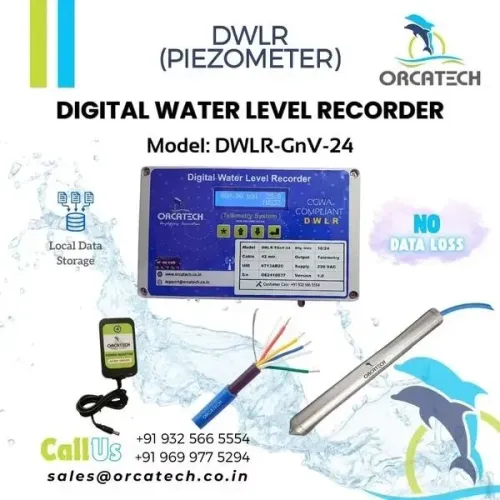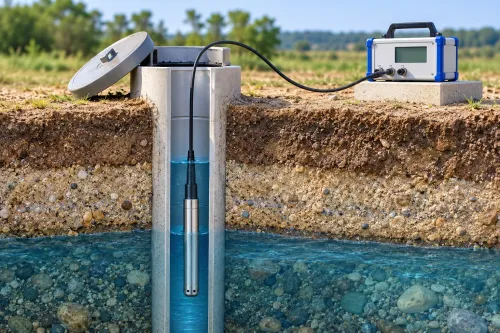
A blank dashboard does not prove that a water-level sensor stopped measuring. The failure may sit in the sensor, logger, power supply, cellular connection, cloud-ingestion path or dashboard, and you can locate it by checking each layer in order. You can also determine whether the missing records remain recoverable at the site before resetting equipment or filling gaps with estimates.
Key takeaways
- Start with the last successful record and compare measurement, upload and receipt times.
- Use the gap pattern to distinguish a communications outage from a dead logger.
- Inspect battery voltage, enclosure seals, antenna placement and installation conditions on site.
- Recover local logger files before memory fills and overwrites older water level readings.
Start with the last successful record, not the sensor
For remote monitoring data missing in Pune, start with the last successful record, not the sensor. Compare its measurement timestamp, upload timestamp and expected sampling interval with the telemetry server’s receipt log. The gap’s shape points to the failed layer.
| Symptom | Check | Likely fault |
|---|---|---|
| No new local records | Logger export, clock, mains supply, fuse, charger, battery voltage and low-voltage cut-off | Power loss or dead logger |
| Local records but no server receipt | Modem registration, SIM status, APN, signal strength, antenna and network outage records | Communications outage |
| Server receipts but a blank dashboard | Ingestion status, database entries and dashboard filters | Cloud or display error |
| Local records with offsets or slow response | Sensor signal, cable, vent path, dry vent filter and barometric compensation | Sensor or installation fault |
A communications outage leaves measurements in the logger; a dead logger does not. Export those records before a circular buffer overwrites them, and keep measurement time separate from upload time. Reconstruct gaps with manual staff-gauge readings, pump or gate logs, rainfall data, a second sensor and server receipts.
Interpolation between dashboard points is estimated data, not recovered data.
Inspect wet cabinets, flooded chambers, condensation, lightning damage, long cables and unstable power. Require store-and-forward, retry transmission and a stated retention period from any remote DWLR provider. Calculate that period from memory, record size, sampling interval and shared diagnostic logs.
Separate a communications outage from a dead logger
A blank dashboard does not prove that the measurement stopped. To confirm a communications outage, compare the logger’s local record with the platform’s last receipt: readings continue at the configured sampling interval, but uploads stop or arrive late.
| Check | Communications outage | Dead logger or sensor |
|---|---|---|
| Local memory | Timestamped readings continue | No new readings or no logger response |
| Modem | Registered SIM, APN and signal history show a path problem | Modem and logger both remain silent |
| Server log | Last receipt is older than the sampling record | No new record exists to transmit |
| Recovery test | Stored readings upload after reconnection | No backlog appears |
Check these items before replacing the water-level sensor:
- Export the logger’s raw records and compare measurement time with upload time. A site that measures every 5 minutes but transmits hourly will show apparent gaps by design.
- Inspect modem registration, SIM status, APN, signal strength, antenna connection and local network-outage records.
- Reconnect the modem or restore the network, then verify that the retry queue drains. A store-and-forward logger should retain readings during the outage.
- Compare the dashboard with the central ingestion log. A receipt-log entry with no visible graph indicates a database or display fault.
If water level data missing in pune is caused by telemetry, the logger’s timestamps and backlog provide evidence. Interpolating between two dashboard points does not recover measurements; label it estimated data.
Check power, enclosure and installation conditions on site
An otherwise healthy sensor can stop producing usable records because Pune site conditions interrupt the logger, power supply, cable or modem around it. Monsoon water, condensation, lightning transients, flooded chambers and unstable mains can silence the site without damaging the measuring element.
Check these conditions before replacing the sensor:
- Confirm mains voltage at the equipment, then inspect the fuse, charger or DC power supply, battery voltage, low-voltage cut-off and restart behaviour. A logger that reboots repeatedly can leave gaps while the sensor remains accurate.
- Open the enclosure only after isolating electrical hazards. Look for water marks, corrosion, tripped protection, condensation, insects and a wet cable gland; inspect flooded underground chambers for submerged joints and rising water.
- Compare the logger’s local timestamp and status with the dashboard. A powered logger with stored readings points to telemetry or ingestion, not a failed sensor.
- Trace long sensor cables for crushed sections, loose terminals and electrical noise from pumps, motors or variable-frequency drives. Reinforced concrete, a closed metal cabinet or an underground chamber can weaken cellular signals.
- For a vented pressure transducer, keep the vent tube unobstructed and its filter or desiccant dry. A blocked or wet vent causes offsets and slow response that look like missing level data; record the barometric-compensation method.
- Test the installation through heavy rain and after a power interruption, not only during a dry-season handover.
A dry cabinet inspection proves little. Record battery voltage, enclosure condition, signal behaviour and recovery after restart.
Recover local records before they are overwritten
Download the logger or RTU before power-cycling, reconfiguring, or replacing anything. A blank dashboard can coexist with valid readings stored locally, while a circular buffer continues deleting the oldest records as new samples arrive.
1. Connect through the logger’s USB, serial, Bluetooth, removable-storage, or vendor service interface. Export the native file and a readable copy, then preserve the original file with its download time, device identity, and configuration.
2. Confirm that each record contains measurement time, value, quality flag, and upload time. Store-and-forward equipment keeps timestamped readings during an outage, retries transmission after reconnection, and separates when the water level was measured from when the server received it.
3. Calculate the remaining recoverable period from memory capacity, record size, sampling interval, and storage shared with diagnostic or communication logs. A short outage during Pune’s monsoon can hide sharp peaks, so check event-triggered high-frequency records and the pre-event and post-event buffer.
4. Reconstruct missing intervals with independent evidence: a manual staff-gauge reading, second pressure sensor, pump or gate log, rainfall record, and telemetry server receipt log. Label values created by interpolation between dashboard points as estimated data, not recovered data.
5. Record every gap, duplicate, clock error, and rejected upload in the recovery file. For water monitoring data recovery in pune, retain the exported logger data alongside the server copy so later audits can distinguish original measurements from reconstructed values.
Specify recovery capability before choosing remote DWLR support
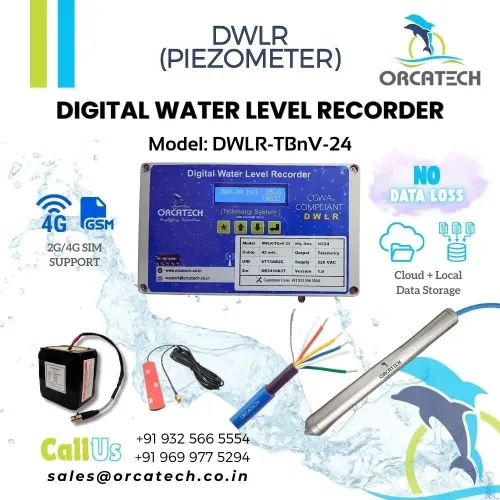
A dashboard that shows only live values is not a recovery plan. Specify a DWLR that timestamps each reading at measurement time, stores it locally through a communications outage, retries transmission after reconnection, and reports measurement time separately from upload time. Require a stated buffer duration and a local-download method before selection.
| Requirement | Minimum specification | Failure prevented |
|---|---|---|
| Store-and-forward | Timestamped local records, automatic retransmission, measurement time separate from upload time | Permanent loss during cellular or cloud outages |
| Local extraction | USB, serial, Bluetooth, removable storage, or documented service interface | Dependence on a working dashboard |
| Data protection | Buffer duration, overwrite warning, export format, and recovery procedure | Circular storage silently replacing old readings |
| Provider response | Alarm acknowledgement time, configuration audit, SIM and APN ownership, spare policy, field escalation | An outage remaining unresolved |
| Communications resilience | Tested SIM profile, modem-band compatibility, and an alternative retrieval path | SIM suspension, APN changes, or carrier shutdown |
For remote DWLR support in Pune, require a demonstration: disconnect communications, collect readings, reconnect, and verify that every original timestamp returns correctly. Before power-cycling or reconfiguring a failed site, download records from the logger or RTU; restarting can erase volatile diagnostics or advance a circular buffer.
Ask Orcatech Enterprises to document that procedure for the selected installation, including who performs it during flooding or restricted site access. A provider that promises dashboard availability without this evidence has not specified data recovery.
Frequently asked questions
Where should you start when remote monitoring data is missing in Pune?
Start with the last successful record. Compare its measurement timestamp, upload timestamp and expected sampling interval with the telemetry server’s receipt log.
How can you distinguish a communications outage from a dead logger?
Compare the logger’s local records with the server’s receipt history. Local readings with no uploads indicate a communications fault; no local readings points to power, logger or installation failure.
What should you check on site when water level data is missing in Pune?
Check battery voltage, power connections, enclosure seals, condensation, cable damage, antenna placement, signal conditions and sensor installation.
How do you recover missing water monitoring data before it is lost?
Download the logger’s local records before memory fills or overwrites older readings, then preserve the original files with timestamps and device identifiers.
Keywords